One tap or one sentence
Edit your hair and photo with one tap or a sentence
The AI hair editor gives you two ways to work: one-tap edits — AI Enhance, Retouch, Expression, and Remove — and AI Edit, where you describe any change in plain words. Every step keeps history, undo, and a before/after view.
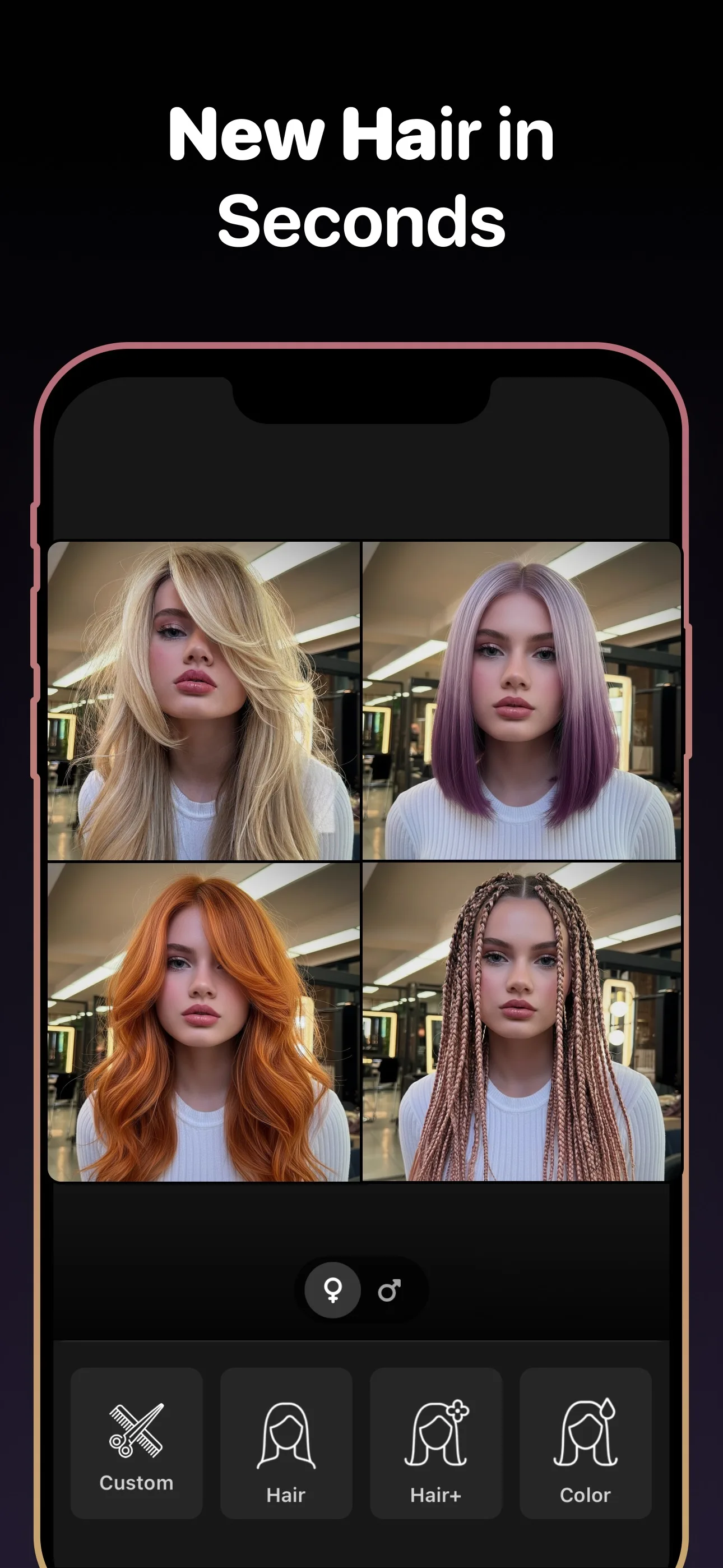
See the app before you try it
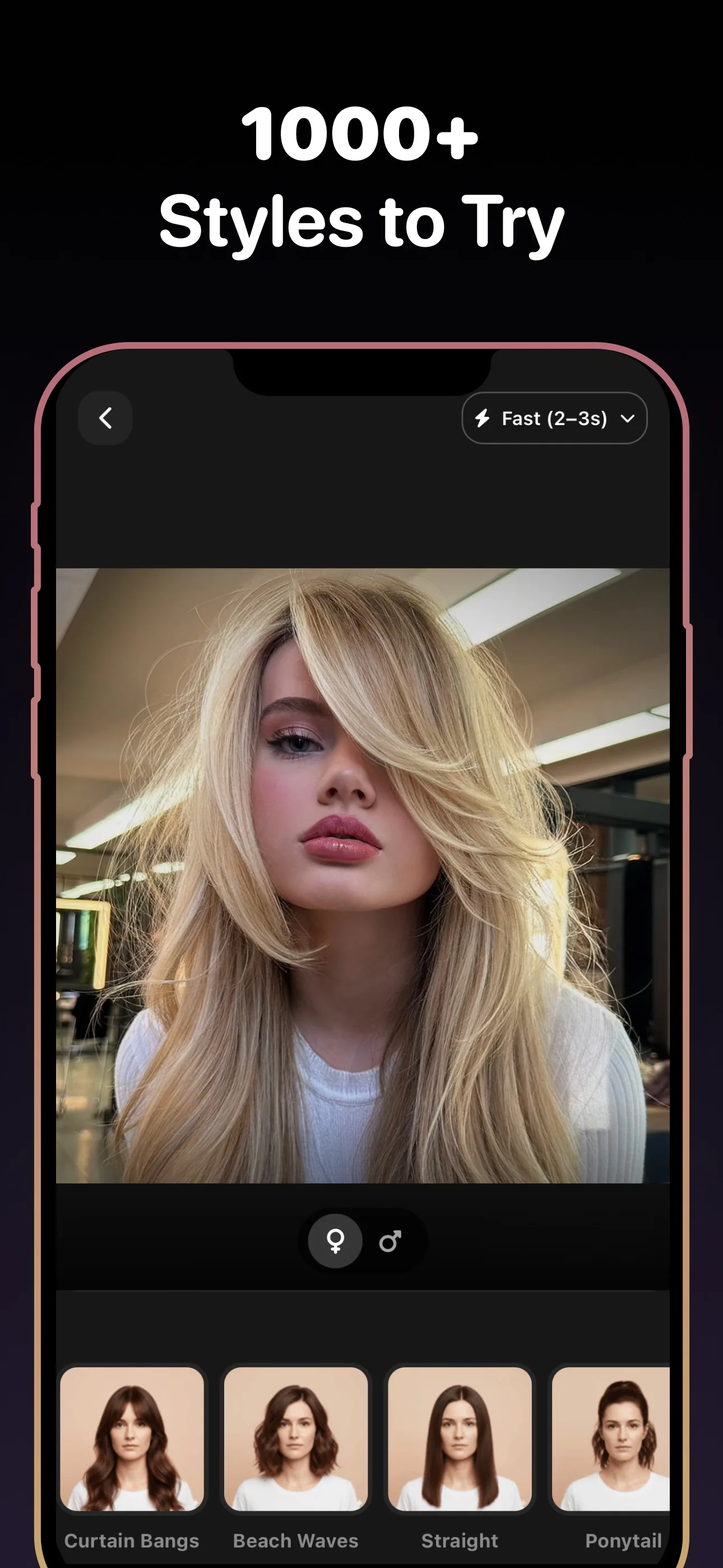
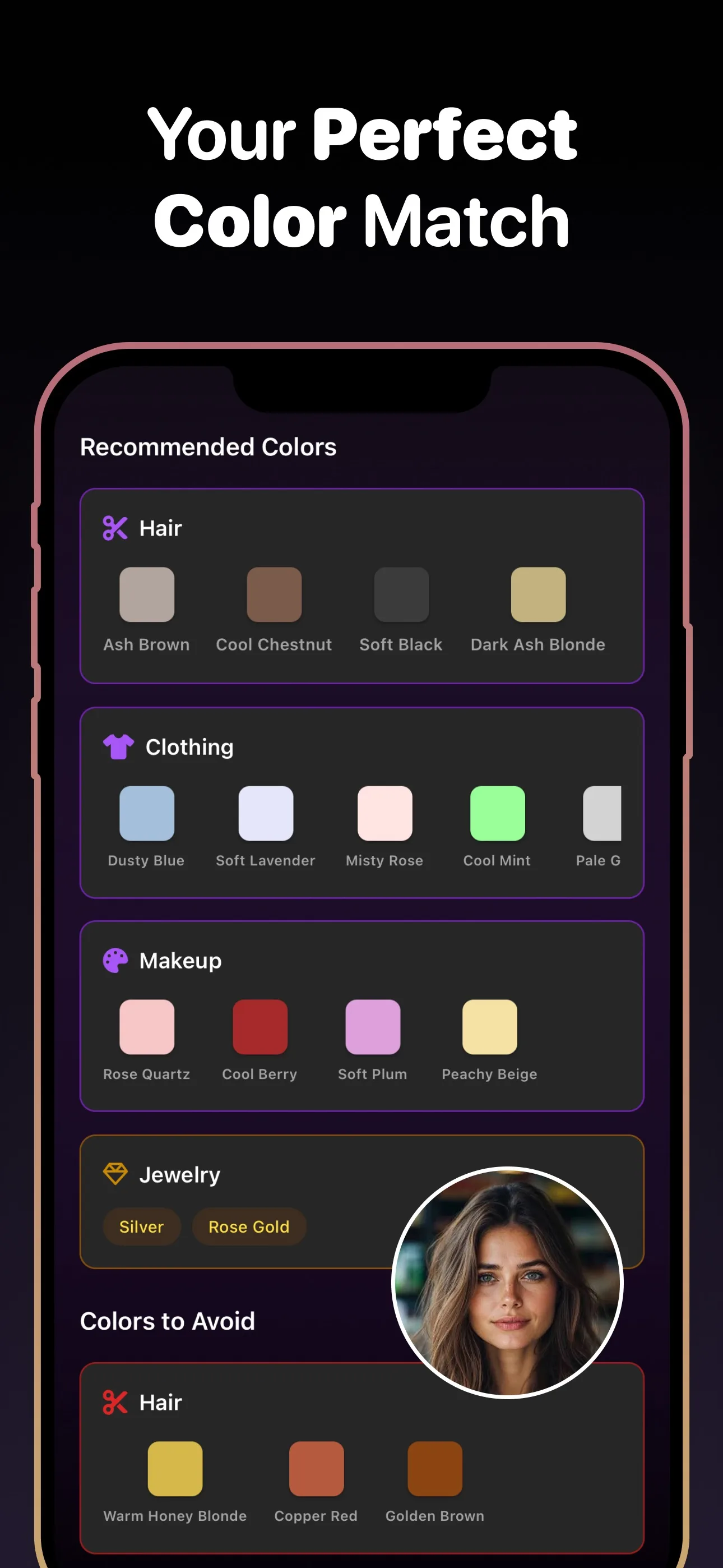
- Styles to try
- 89+
- Hair colors
- 50+
- To download
- Free
Use cases
Edits you can make
- AI Enhance
- Retouch
- Expression
- Remove
- AI Edit
- Before / After
Why it matters
Why an AI hair editor beats manual editing
No editing skills required
One tap handles the work that normally takes layers, masks, and sliders. Enhance, retouch, or clean up a photo in seconds.
Describe it instead of digging for it
AI Edit takes a plain sentence — describe the change you want and the AI applies it, no menus to hunt through.
Experiment without fear
Edit history, undo, and a before/after view mean you can push an edit further and step back the moment it goes too far.
What to know before you commit
A photo editor that works like a conversation
Most hair edits fail in traditional editors because hair is the hardest thing to select and mask. AI Edit skips all of that: you describe the change in words and the AI handles the strands, edges, and lighting for you. Review the before/after, keep it or undo it, and refine with another sentence.
One-tap fixes for the common stuff
For everyday cleanup you do not even need a sentence. AI Enhance sharpens and improves the whole photo, Retouch cleans up skin and stray details, Expression adjusts how you look in the shot, and Remove lets you paint over anything you want gone. Combined with the hairstyle try-on, it turns one selfie into a finished photo.
Frequently Asked Questions
What can the AI hair editor change in my photo?
You can enhance the whole photo, retouch details, adjust your expression, remove unwanted objects, and change your hair — from small tweaks to a completely different hairstyle or color.
How does the describe-in-words editing work?
Type what you want changed in plain language and AI Edit applies it to your photo. You can review the before/after and keep refining with follow-up edits.
What are the one-tap edits?
AI Enhance, Retouch, Expression, and Remove. Each applies a common edit instantly without any manual selection or settings.
Can I undo an edit?
Yes. The editor keeps your edit history with undo, plus a before/after view so you can compare against the original at any point.
How does removing objects from a photo work?
Use Remove and paint over the object, person, or distraction you want gone. The AI fills in the background naturally.
Can I change my hairstyle in an existing photo?
Yes. Alongside the editor, the app includes a try-on with 60+ hairstyles and 50+ colors, so you can swap your hair entirely and then fine-tune the result with edits.
Edit your hair photo for free
Try new hairstyles, hair colors, and beard styles on your photo — powered by AI. Free to download.
Scan to download
Point your phone camera at a code

